




Table of contents
- How Integration Testing Works
- Types of Integration Testing
- Benefits of Integration Testing
- Best Practices & Common Challenges in Integration Testing
- Integration Testing Tools
- Where Integration Testing Fits in the SDLC
- Integration Testing and how it fits with Agile and V-Model Workflows
- Integration Testing with CI/CD Pipelines
- Conclusion
- FAQs
In a software development environment, ensuring different components work together seamlessly is just as important as testing each part individually. That’s where integration testing comes in.
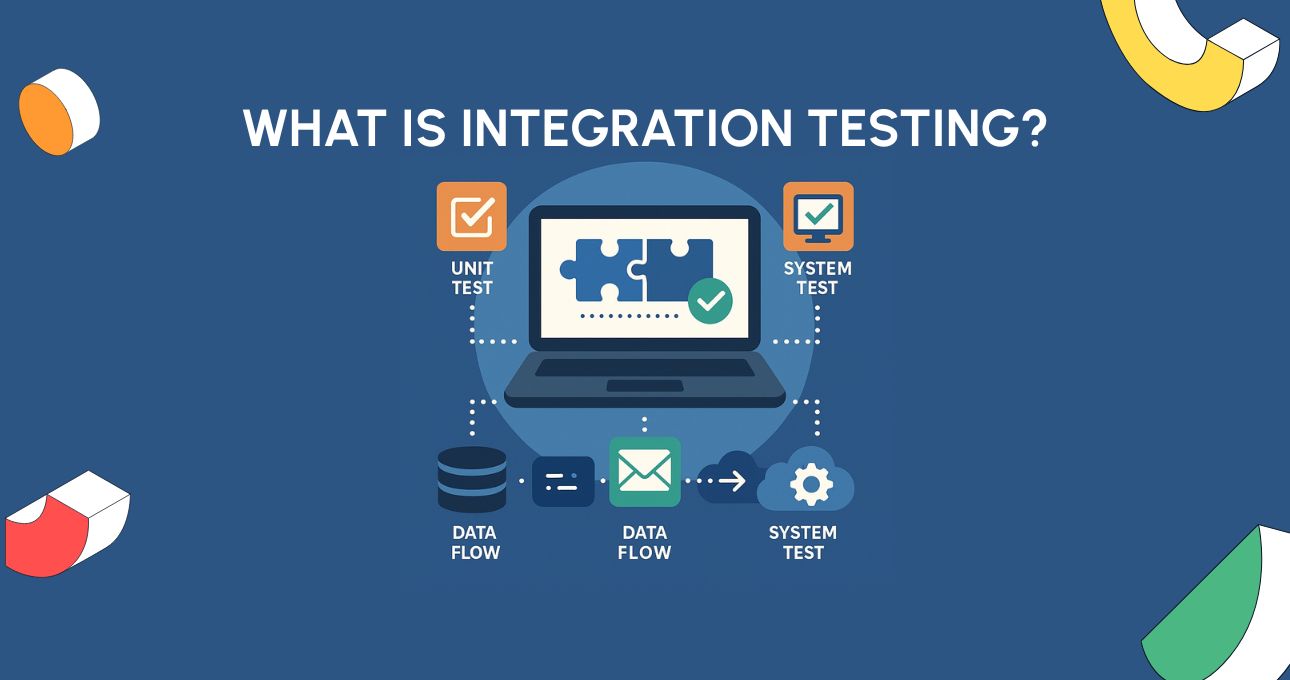
So what exactly is Integration testing? It’s the phase of software testing where individual units or modules are combined and tested as a group to verify they interact correctly. While unit tests confirm that a single component behaves as expected in isolation, integration tests focus on how those components communicate – whether through APIs, shared databases, or user interfaces.
In modern development teams – especially those using microservices, APIs, or third-party integrations – integration testing plays a critical role in catching issues that would otherwise go undetected until much later in the process. Without it, even fully functional modules can fail when combined, leading to broken workflows, lost data, or crashes in production.
In this article, we’ll explore exactly what integration testing involves, the different types and strategies used, when it fits into the software development lifecycle, and how it supports robust, reliable application delivery.
How Integration Testing Works
Itegration testing validates how software modules interact with one another. A module can be any logical unit of code – such as a user interface component, a backend service, or a third-party API connector. These modules rarely operate in isolation; they rely on interfaces to send and receive data, make function calls, and trigger workflows.
Integration testing focuses on:
- Interfaces: Are the inputs and outputs between modules compatible?
- Data exchange: Is the right data being passed, transformed, and returned?
- Inter-module logic: Do sequences of operations behave correctly across module boundaries?
Rather than testing a single component’s functionality, integration testing examines how multiple components work together in real conditions – ensuring consistent behavior across their interactions.

Example Scenario : Login Module + API + Database
Imagine a user logs into a web application. This action might trigger the following flow:
- Login UI Module collects the user’s credentials and sends them via HTTPS.
- Authentication API receives the data, checks it against business logic, and forwards it to a database layer.
- Database Module verifies the credentials against stored user data and sends back a status (success/fail).
- The API Module responds with a session token or error.
- The UI Module reacts accordingly – either logging the user in or showing an error.
Even if each of these modules has passed unit testing independently, integration testing is where you validate the end-to-end data flow and behavior:
- Does the API handle missing fields or incorrect formats from the UI?
- Does the database return the correct user details?
- Are authentication responses handled correctly in the frontend?
Only by testing the combined workflow can teams ensure the complete user experience functions smoothly across layers.
Types of Integration Testing
Integration testing can be executed in several structured ways, depending on the system architecture, development timeline, and team preferences. Each approach varies in how and when modules are combined and tested. The most common types include:
1. Big Bang Integration Testing
In this approach, all modules are integrated at once, and the system is tested as a complete unit.
- Pros: Quick to set up if all modules are ready.
- Cons: Difficult to isolate bugs; poor fault localisation; risky if components are unstable.
- Best for: Small, low-risk systems or last-minute testing.
2. Top-Down Integration Testing
Modules are integrated from the top of the hierarchy downward. High-level modules (e.g. UI or main controller) are tested first, with lower-level modules replaced by stubs until they are ready.
- Pros: Early validation of core logic and user flows.
- Cons: Lower-level components aren’t fully tested until later.
- Best for: Applications with critical high-level business logic.
3. Bottom-Up Integration Testing
Testing begins at the lowest levels of the application. Modules are integrated and tested upward, with higher-level modules replaced by drivers that simulate their behavior.
- Pros: Good for validating foundational services (e.g., databases, APIs).
- Cons: Delays full user journey testing until upper modules are integrated.
- Best for: API-heavy or service-oriented architectures.
4. Sandwich (Hybrid) Integration Testing
Combines top-down and bottom-up strategies. High-level and low-level modules are tested in parallel, eventually meeting in the middle.
- Pros: Balanced coverage; simultaneous testing accelerates timelines.
- Cons: More complex to manage; requires both stubs and drivers.
- Best for: Large-scale or layered applications with simultaneous development tracks.
Integration Testing Comparison Table
| Approach | Start Point | Tools Required | Pros | Cons |
| Big Bang | All at once | None | Quick setup if all modules are ready | Hard to debug; risky if unstable |
| Top-Down | High-level modules | Stubs | Early UI logic validation | Delayed lower-level testing |
| Bottom-Up | Low-level modules | Drivers | Good for core backend services | User journeys tested later |
| Sandwich/Hybrid | Both top and bottom | Stubs + Drivers | Balanced, fast feedback | More complex coordination |

Benefits of Integration Testing
Integration testing offers crucial advantages that help ensure the reliability and stability of your software – especially as complexity increases and systems become more modular, API-driven, or cloud-based.
1. Early Defect Detection Across Components
While unit testing catches bugs within isolated functions, integration testing uncovers issues that arise when components interact. This includes mismatched data formats, missing parameters, or unexpected behaviors triggered by upstream modules. Catching these early reduces the cost and effort of rework later in the development cycle.
2. Interface Contract Validation
Modern applications rely heavily on APIs, microservices, and third-party integrations. Integration testing verifies that these interfaces work as agreed – ensuring proper data exchange, response handling, and protocol adherence. It prevents silent failures caused by unhandled edge cases or incorrect assumptions between teams.
3. Ensures Smooth End-to-End Data Flow
From the frontend to the backend, and from service to database, integration testing validates that data flows correctly and remains consistent. For example, a user’s login credentials must be correctly passed from the UI to the API and into the authentication system, with the right responses sent back. This confirms that critical workflows function as expected across modules.
4. Supports Scalable Development
As teams grow and codebases scale, integration testing acts as a safety net for cross-functional work. It enables parallel development by ensuring that when modules are combined, they still function cohesively – even if developed by different teams or vendors.
5. Boosts Confidence Before System Testing
By resolving component-level issues first, integration testing helps streamline system testing. It reduces noise from low-level errors, allowing system-level tests to focus on business rules and full user journeys.
Integration testing doesn’t just verify if parts work – it validates that they work together. It’s an essential safeguard for modular, service-oriented, and API-driven architectures.
Best Practices & Common Challenges in Integration Testing
To make integration testing efficient and reliable, teams must balance proven practices with the realities of complex, distributed environments.
1. Automate Wherever Possible
Automation speeds up feedback loops and improves test reliability. Tools like Postman, JUnit, Selenium, and TestDrive allow teams to run integration tests frequently – catching regressions early and scaling coverage without increasing manual effort.
2. Use Mocks and Stubs for External Dependencies
Third-party services (e.g., payment gateways or APIs) can be slow, unstable, or unavailable. Simulating them with mocks or stubs improves test consistency and allows edge-case validation without relying on real-time integrations.
3. Isolate Failures for Easier Debugging
When something breaks, pinpointing the source is critical. Modular test design, logging, and root cause tools help isolate failing services, avoid cascading errors, and reduce false positives.
4. Start Small, Then Scale
Begin testing simple two-module integrations before expanding to full end-to-end flows. This layered approach helps validate data contracts early, reduces test environment strain, and aligns with shift-left testing strategies.
5. Prepare Realistic, Controlled Test Data
Effective integration tests rely on realistic data – user profiles, transactions, or inventory states. Automating data setup with scripts or test data management tools avoids setup errors and supports repeatability.
6. Manage Complex Test Environments
Testing often spans multiple services, databases, and configurations. Use containers, CI/CD pipelines, and infrastructure-as-code tools (like Docker or Terraform) to replicate production-like environments and reduce inconsistencies.
Integration Testing Tools
Choosing the right tool for integration testing depends on your application architecture, interfaces (UI, API, database), and the skills of your QA or development team. The tools below are frequently cited across industry resources and offer powerful capabilities for testing how components interact.
By combining these tools – or selecting the ones that align best with your tech stack – you can ensure integration testing becomes a reliable, scalable part of your quality assurance process.
1. JUnit
A widely used Java framework, JUnit supports integration testing of services, controllers, and repositories – especially alongside Spring Boot and Mockito.
Best for: Developers writing integration tests within CI pipelines.
2. Postman
A popular API testing tool for validating frontend-backend integrations. Features include collections, mock servers, and CLI automation (Newman).
Best for: QA teams testing REST APIs in microservice setups.
3. SoapUI
Designed for SOAP and REST API testing, especially in legacy-heavy environments. Supports data-driven tests and security checks.
Best for: Enterprise teams needing deep API validation.
4. Selenium
A browser automation tool that supports full user journey integration testing across UI, middleware, and backend systems.
Best for: Full-stack teams testing web-based workflows.
5. TestNG
Java test framework offering advanced features like parallel execution and test grouping – ideal for layered integration scenarios.
Best for: Developers needing detailed control over test flow.
6. Original Software
Best for ERP testing, not general integration testing. Original Software focuses on validating complex user journeys in enterprise systems like SAP, Oracle, and IFS – with no code required – ideal for testing real-world ERP workflows, not just technical interfaces.

Where Integration Testing Fits in the SDLC
Integration testing sits at a pivotal point in the Software Development Life Cycle (SDLC), acting as the bridge between verifying individual components (unit testing) and validating the entire system as a whole (system testing).
While unit tests verify that individual components or functions behave correctly in isolation, integration testing ensures those components interact smoothly when connected. Without this middle layer, even perfectly functioning modules can fail when combined – due to issues like data mismatches, API errors, incompatible interfaces, or broken logic between systems.
Integration testing gives teams confidence that:
- Modules integrate correctly before full system testing begins
- Data flows smoothly across interfaces
- Functional pathways work reliably end to end
- Architectural issues are caught early, before they escalate
This stage ensures that the parts “play nicely together,” laying the groundwork for a stable, dependable system and preventing costly bugs later in the development cycle.
Here’s how it compares to surrounding test levels:
Comparison Table
| Aspect | Unit Testing | Integration Testing | System Testing |
| Scope | Individual functions or classes | Interfaces between modules/components | Entire application |
| Performed By | Developers | Developers or QA engineers | QA/test teams |
| Tools Used | JUnit, NUnit, pytest | Postman, SoapUI, TestNG, Selenium | Selenium, TestDrive, QTP |
| Focus | Code correctness | Data flow, module interaction | Functional & non-functional validation |
| Dependencies | No dependencies | Requires connected modules | Full system deployment |
| Speed | Very fast | Moderate | Slower (full stack tested) |
| Examples | A calculator function returns correct result | Login module sends token to backend | Checkout flow works across UI, API, and database |
Integration Testing and how it fits with Agile and V-Model Workflows
Integration testing is a core phase in both traditional and modern development methodologies:
- In the V-Model, each development stage maps to a corresponding test phase. Integration testing directly follows module design and coding, ensuring that the interaction between developed modules meets specifications.
- In Agile, integration testing happens continuously. As new features are developed in short sprints, automated integration tests are run regularly to validate changes incrementally and avoid regressions.
Whether following a sequential model or a continuous delivery pipeline, integration testing remains critical to building reliable, scalable software.
Integration Testing with CI/CD Pipelines
In modern DevOps environments, integration testing is tightly woven into Continuous Integration (CI) and Continuous Delivery/Deployment (CD) pipelines. This allows teams to detect issues early, validate component interactions on every code change, and maintain a high-quality release cadence.
With CI/CD, developers frequently merge code into a shared repository. Each merge triggers an automated build that typically runs:
- Unit tests to validate individual modules
- Integration tests to verify module interactions and data flow
- Optional system or end-to-end tests depending on pipeline design
By integrating these tests into CI tools like Jenkins, GitHub Actions, GitLab CI, CircleCI, or Azure DevOps, teams can automatically:
- Run integration tests in parallel with every code commit
- Catch broken interfaces and regressions before they reach production
- Block deployments if integration failures are detected
Supporting Agile & DevOps Workflows
In DevOps, integration testing supports continuous testing and shift-left practices – ensuring quality checks happen early and often. By embedding integration testing into CI/CD workflows, teams move faster without sacrificing stability – a core goal of DevOps.
- Postman (for API-level integration testing)
- JUnit/TestNG (for service-layer tests)
- Docker/Kubernetes (for replicating real-world services)to help teams simulate complete service interactions even in staging or ephemeral environments.
Conclusion
Integration testing is essential for ensuring that independently developed modules work correctly when combined. Unit tests confirm components in isolation, but only integration testing validates the accuracy of communication, data flow, and behaviour across boundaries – where many of the most difficult and costly defects originate. By identifying interface issues, mismatched assumptions, and interaction failures early, teams avoid defects cascading into later stages like system or user acceptance testing.
Incorporating integration tests throughout the development process – particularly within CI/CD pipelines – reduces risk and supports faster, more predictable delivery. Whether you’re building microservices, mobile backends, or complex enterprise applications, strong integration testing strengthens the link between correct code and a reliably functioning system end‑to‑end.
FAQs
Integration testing is the process of checking whether different parts of a software system work together as expected. Instead of testing components in isolation, it tests how modules interact – making sure data flows correctly between them.
Popular tools for integration testing include:
-Postman and REST Assured for API-level testing
-JUnit, TestNG, and PyTest for backend integration in various languages
-Selenium or Cypress when UI and backend components are tested together
-SoapUI for SOAP and RESTful web services
-Original Software for no-code test automation and integration testing across user journeys
-Unit testing verifies individual functions or modules in isolation, and finds bugs in small code blocks
-Integration testing checks that multiple units or services work together properly.
Yes. Integration testing is considered a type of functional testing because it verifies that systems behave according to specified functionality when different components interact.
Definitely. Integration tests are commonly automated – especially in Agile and DevOps environments. Automation frameworks or no-code platforms can trigger integration tests during builds or deployments to ensure early detection of defects between components.