


Table of contents
Enterprise Resource Planning (ERP) systems sit at the heart of business operations – linking finance, HR, supply chain, manufacturing, and beyond. With so many critical functions connected, ERP testing is the process of verifying that these integrated modules work as expected, both individually and together, before changes go live. Unlike traditional software testing, ERP testing must account for complex workflows, custom configurations, and cross-functional data flows. A single error can disrupt payroll, delay shipments, or misstate financials – which makes rigorous testing essential to minimise risk and ensure business continuity.
ERP testing spans a wide range of platforms. Popular systems like SAP ECC and S/4HANA, Oracle EBS, Infor CloudSuite, IFS, Workday, Salesforce, and IBM iSeries all require tailored test strategies that reflect their architecture, release cycles, and business-critical integrations.
In this article, we’ll break down what ERP testing involves, why it’s uniquely challenging, the types of tests required, and how specialist tools – including no-code platforms like Original Software – help organisations deliver change and efficiency, safely.
What is ERP Testing and why is it unique?
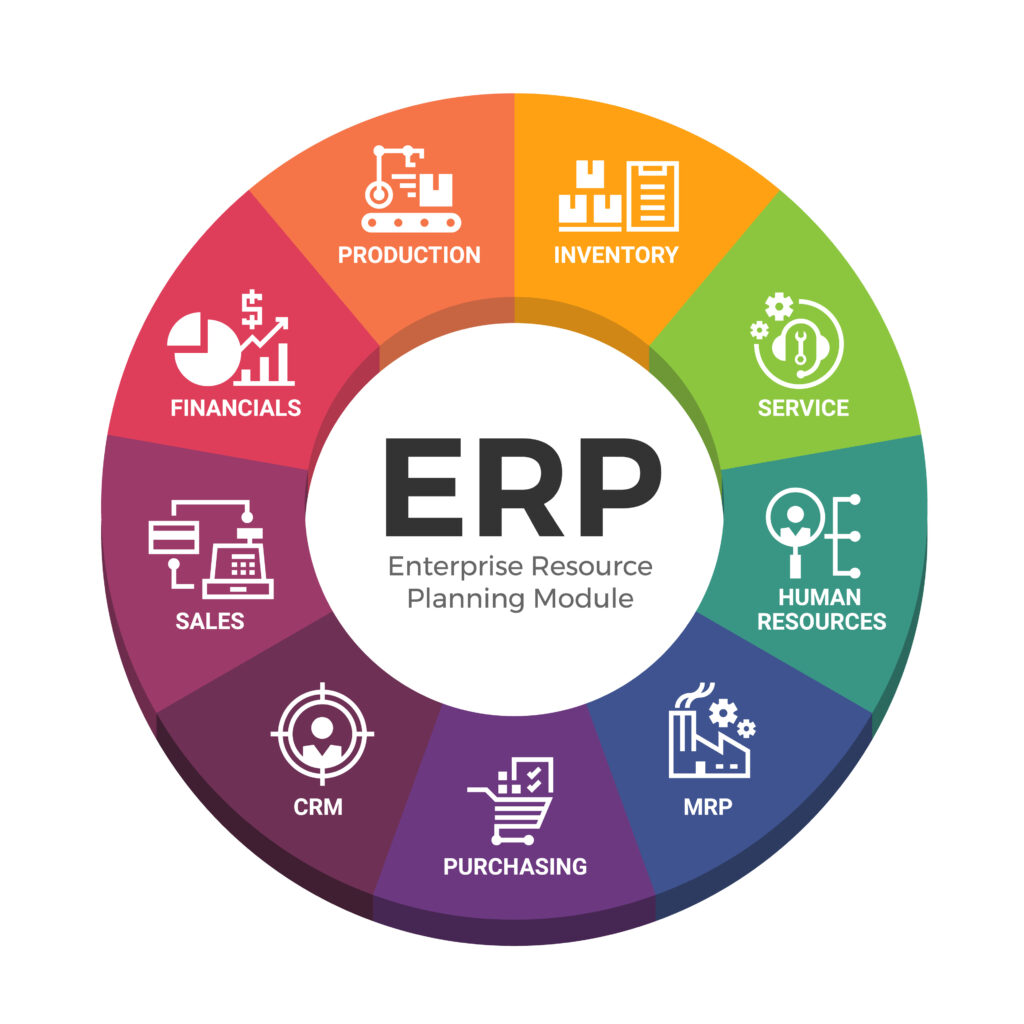
ERP testing is the practice of validating end-to-end business processes across an enterprise’s core systems – ensuring that finance, HR, supply chain, manufacturing, procurement, and customer data all work together without error. Rather than testing isolated features, ERP testing confirms that integrated workflows function as expected across multiple modules, teams, and data sets.
Unlike regular software testing, ERP systems bring a unique level of complexity. These platforms are deeply interwoven in an organisations tech stack, with configurations and process logic spanning multiple departments and databases. A seemingly minor change in one module – such as updating a tax code in finance – can have ripple effects across purchasing, invoicing, or payroll.
Key characteristics that make ERP testing distinct:
- Tightly integrated modules: Functional processes often cross multiple systems (e.g., order-to-cash, procure-to-pay), making interface and data-flow validation critical.
- Configuration-heavy environments: ERP systems are typically tailored through setup and parameter adjustments rather than pure code, which shifts the testing focus toward verifying rules, dependencies, and workflows.
- Workflow and role-based logic: Access control, approvals, and routing vary by user role, region, and business unit – all of which must be tested.
- Multiple stakeholders involved: ERP testing often spans IT, QA teams, business users, and external consultants – requiring collaboration and clarity around requirements and acceptance criteria.
- Audit and compliance pressure: ERP systems manage sensitive data (financials, payroll, inventory), so testing must also ensure accuracy, traceability, and regulatory compliance.
This complexity makes ERP testing not just a QA function, but a core part of risk mitigation and operational assurance during any system change or transformation.
Types of ERP Testing
ERP testing spans a wide range of test types – each targeting a different layer of the system, from technical integrations to full business workflows. A successful testing strategy will often include most, if not all, of the following:
- Unit Testing
Focuses on individual components such as custom code, interfaces, or configuration rules. Often led by vendors or technical teams, this testing ensures specific functions (e.g., tax logic, validation routines) work as intended before being integrated into broader processes. - Integration Testing
Verifies how the ERP interacts with other systems – such as payroll providers, banking APIs, CRMs, or inventory platforms. It checks that data flows accurately between applications and that interfaces behave correctly across modules and external dependencies. - Functional Testing
Ensures that key business processes like order-to-cash, hire-to-retire, or procure-to-pay work as expected. This type of testing often involves business users and focuses on confirming that real-world tasks can be performed accurately in the system. - Regression Testing
Essential after ERP upgrades, patching, or major configuration changes. It confirms that previously working functionality still behaves as expected – avoiding costly disruptions caused by unintended side effects. - User Acceptance Testing (UAT)
Conducted by end-users or business stakeholders to validate that the ERP system meets requirements and is fit for purpose. UAT is often the final sign-off before go-live and is critical for adoption and confidence. - Performance and Load Testing
Assesses how the ERP system behaves under high demand – for example, during financial year-end processing or peak ordering periods. It helps uncover bottlenecks, database stress points, and infrastructure limitations.
Each of these test types plays a role in de-risking the complex, high-stakes nature of ERP deployments and upgrades.

Challenges in ERP Testing
Testing ERP systems presents a unique set of challenges that go beyond traditional software testing. These platforms sit at the heart of the business, touching finance, HR, supply chain, manufacturing, and more – so errors can have far-reaching consequences. Key challenges include:
- Complex Test Data Management
ERP tests often require realistic, cross-functional data sets that span multiple modules – e.g., customers, suppliers, employees, ledgers, products, and orders. Managing this data across dev, test, and UAT environments (while remaining compliant with data protection rules) is a major undertaking. - Frequent Updates
Cloud-based ERPs like Workday, SAP S/4HANA Cloud, or Oracle Fusion deliver updates quarterly or monthly. These continuous changes require constant regression testing to ensure that custom processes, integrations, and business logic still function after every release. - Business-Driven Test Scenarios
ERP testing can’t be isolated to technical flows alone. Scenarios must reflect actual business processes – such as “onboard a new employee and assign assets” or “book an invoice and match it to a PO.” This requires collaboration between IT, QA, and business users, who often have limited time for testing. - Customisations, Extensions, and Workflows
Even when ERPs are configured rather than customised, many organisations build extensions (e.g., reports, approval workflows, third-party connectors). These changes introduce complexity that needs thorough validation – particularly when layered on top of vendor updates. - High Risk of Business Disruption
ERP systems support mission-critical operations like payroll, financial close, and customer orders. A test failure missed in QA could result in employees not being paid, orders not shipping, or compliance failures – making quality assurance essential but high-stakes.
Best Practices for ERP Testing (Including Cloud & SaaS Considerations)
ERP testing requires a careful balance between technical accuracy and business relevance – especially in environments where updates are frequent, workflows are complex, and downtime is costly. As more organisations move to cloud-based ERP platforms like Workday, Oracle Cloud, and SAP S/4HANA Cloud, the need for agile, continuous testing has grown significantly.
Testing in Cloud & SaaS ERP Environments
Unlike traditional on-premise ERPs, SaaS platforms operate on fixed update cycles – often monthly or quarterly. These updates are pushed automatically by the vendor, leaving organisations with a narrow window to test and validate their critical processes. Examples include:
- Workday: Biannual releases plus weekly updates for bug fixes
- Oracle Cloud ERP: Quarterly feature packs requiring impact analysis
- SAP S/4HANA Cloud: Frequent innovation cycles tied to SAP’s cloud roadmap
These cycles demand rapid, business-led regression testing – often within days – to ensure nothing breaks in payroll, procurement, reporting, or compliance workflows.
Best Practices for ERP Testing
To stay ahead of both cloud-driven updates and traditional implementation cycles, teams should adopt the following principles:
- Involve Business Users Early
ERP workflows are often owned by HR, finance, procurement, or operations teams. Their input is essential when defining test scenarios like “hire to retire” or “order to cash.” Engage them early in UAT, regression sign-off, and workflow validation. - Automate Where Practical
While not every ERP flow lends itself to automation, regression testing – especially after updates or patching – should be automated where possible. Tools that support dynamic data, adaptive locators, and no-code capture (like Original Software) are well-suited to complex, business-driven systems. - Use Tools That Understand ERP Complexity
Generic test automation frameworks can struggle with ERP applications due to:
- Dynamic UI components (e.g., changing element IDs)
- Data-dependent workflows
- Multi-step approvals or conditional navigation
- Dynamic UI components (e.g., changing element IDs)
- Tools purpose-built for ERP or that allow visual capture, self-healing scripts, and business-readable logic offer better ROI and maintainability.
- Test Business Processes, Not Just Features
ERP quality is not about whether a button works – it’s about whether an entire workflow completes correctly. Focus testing efforts on end-to-end processes that reflect real usage: hire an employee, run payroll, receive goods, book payments, etc. - Maintain Traceability and Auditability
ERP systems often support regulated processes (e.g. SOX compliance, financial reporting). Ensure your testing framework can track test coverage, user approvals, and changes over time – offering auditable evidence when required.
ERP Testing Tools
ERP testing demands tools that can handle complex, business-critical processes across modules like finance, HR, supply chain, and compliance. The right tool choice depends on your organisation’s ERP platform, testing maturity, automation needs, and how involved business users are in the process.
Three Main Categories of ERP Testing Tools
- Enterprise Test Automation Platforms
These are often used in large enterprises and offer powerful automation frameworks, particularly for SAP and Oracle:
- Tricentis Tosca: Model-based testing with SAP integration, strong test management.
- Worksoft Certify: Built specifically for SAP end-to-end business process testing.
- Micro Focus ALM (formerly HP ALM): Centralised test planning and defect tracking.
- Tricentis Tosca: Model-based testing with SAP integration, strong test management.
- These tools are best suited to heavily scripted environments where test cases are built and maintained by technical QA teams.
- Manual or Spreadsheet-Based Testing
Surprisingly common – especially during UAT phases or in smaller ERP rollouts. Business users manually execute test steps tracked in Excel or Word documents. While simple and accessible, this approach:
- Is not scalable
- Lacks traceability or automation
- Offers limited auditability, making it risky for regulated environments
- Is not scalable
- No-Code and Business-Led Testing Platforms
Designed for business users, these platforms allow teams to capture, execute, and validate ERP test flows without writing code. This is ideal for UAT, regression testing, and cloud ERP updates.
Original Software fits this category. It offers powerful no-code testing capabilities tailored for any ERP – including automated regression, visual test capture, and business process validation – across platforms like SAP, Oracle, Infor, Workday, and others.
ERP Testing Tool Comparison
| Tool Type | Examples | Best For | Pros | Limitations |
| Enterprise Automation | Tricentis Tosca, Worksoft, Micro Focus | SAP/Oracle automation, QA-led | Robust, integrated, good for end-to-end scripts | High cost, technical setup, slower to adapt |
| Manual / Spreadsheet | Excel, Word, SharePoint | Simple UAT, small teams | Familiar, low-cost | No automation, hard to scale, poor traceability |
| No-Code / Business-Led | Original Software, Leapwork | UAT, regression, business-driven ERP | Fast setup, intuitive, captures real user flows | Limited code-level control (not needed for ERP |
Conclusion
ERP testing is far more than a quality assurance checkbox – it’s a business-critical safeguard that ensures core processes continue to function as intended through changes, updates, and integrations. Unlike traditional software testing, ERP testing requires deep alignment with how real business workflows operate across interconnected modules like finance, HR, procurement, and logistics.
Effective ERP testing combines technical discipline with business insight. It involves multiple stakeholders, from IT to end users, and must adapt to the fast-moving update cycles of cloud-based ERP platforms.
With the right testing strategy, stakeholder engagement, and fit-for-purpose tools – such as no-code platforms that empower business users – organisations can reduce risk, maintain compliance, and accelerate ERP change with confidence.
ERP testing is the process of checking that your enterprise resource planning (ERP) system – such as SAP, Oracle, or Infor – works correctly after changes like updates, customisations, or integrations. It ensures that business-critical processes (e.g. payroll, invoicing, procurement) continue to function as expected.
Yes. While some ERP testing still relies on manual checks, many areas – particularly regression testing and repeatable workflows – can be automated using tools like Tricentis Tosca, Worksoft, or no-code platforms like Original Software.
The core types include:
-Unit testing (individual configurations or code)
-Integration testing (ERP + external systems)
-Functional testing (end-to-end processes)
-Regression testing (after changes)
-User Acceptance Testing (UAT)
-Performance/load testing
Regression testing should be run after every change, including patches, updates, configuration tweaks, or integrations. For cloud ERP platforms like Workday or Oracle Cloud, this could mean quarterly or even monthly cycles.
Popular tools include:
-Enterprise automation: Tricentis Tosca, Worksoft Certify, Micro Focus ALM
-Manual methods: Excel-based test scripts (still common in UAT)
-No-code platforms: Original Software (ideal for UAT, business-led testing, and regression coverage without scripting)